Table of contents
"Hello darkness, my old friend"
If you like to listen to English Learning for Curious Minds in the evening, or you're a bit of a night owl (1), this one is for you.
The episode page now has a dark mode.
(If you haven't seen the new episode page yet, here's everything else that's new.)
How to Switch It On
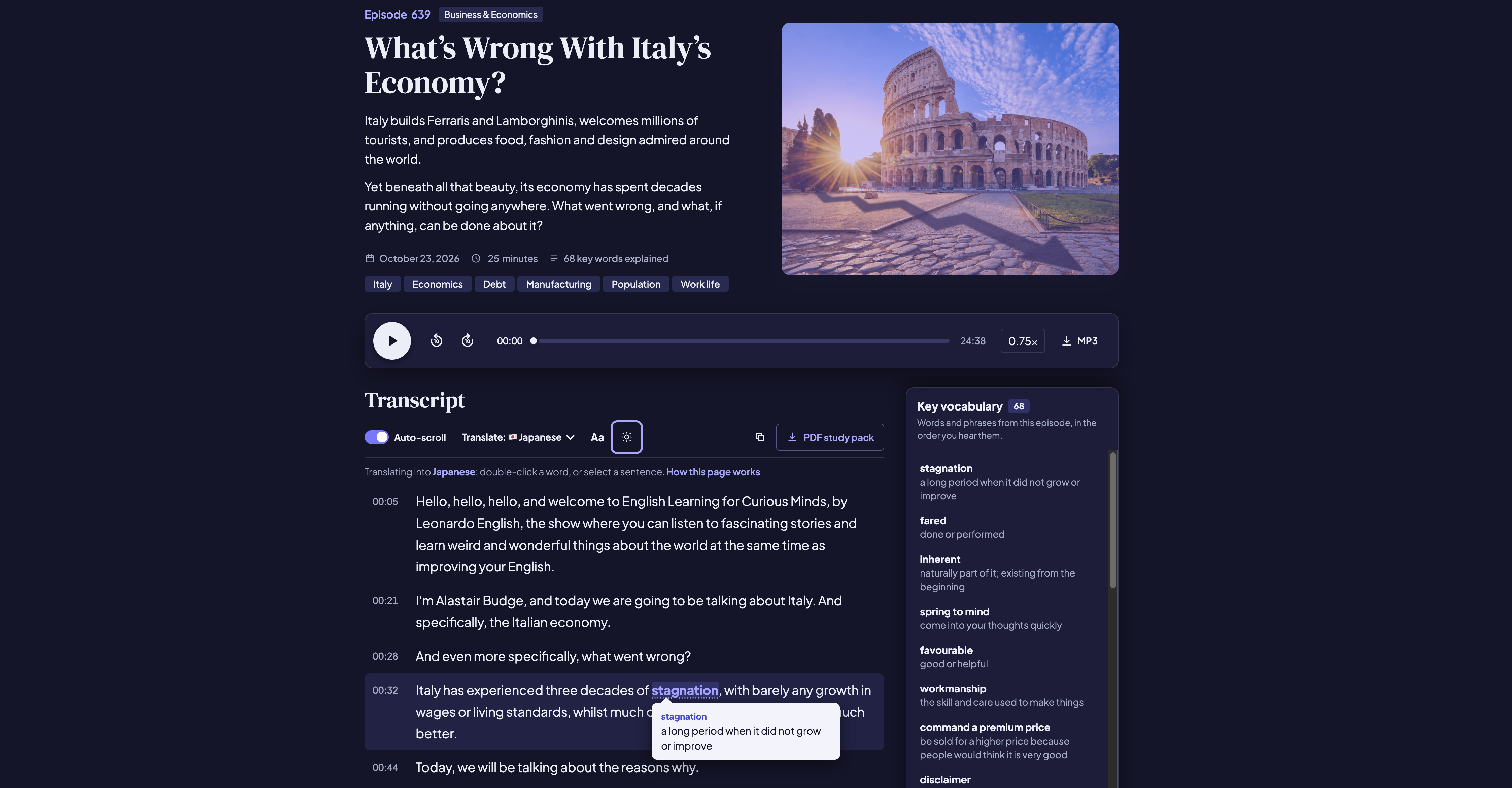
Open any episode, and look at the toolbar just above the transcript.
Next to Aa, you'll see a small moon.
Click it (or tap it on your phone), and the page goes dark.
To switch back, click the sun.
It Remembers Your Choice
Choose dark mode once, and every episode you open after that will be dark too.
There's nothing else you need to do.
The one thing to know is that it's saved in your browser. So if you listen on your phone and on your laptop, you'll need to switch it on in both.
Everything Else Works Just the Same
The transcript still follows the audio.
The purple words still show you what they mean, and translations still appear right above whatever you select.
It's all just a little easier on the eyes (2).
If you have any feedback, I'd love to hear it. Just email me at alastair@leonardoenglish.com.
🎧 Try it yourself: browse our entire catalogue, or see a selection of our free English podcasts with transcripts.
Here's to a more interesting way of improving your English.
(1) night owl = someone who likes to stay up late at night
(2) easy on the eyes = pleasant to look at, and not tiring to read